Who Can Renew an Ohio Driver’s License Online?
Renewing a driver’s license online can save an Ohio driver a trip, but not everyone qualifies. Age, license status, driving record, and the kind of credential you need can all affect the result. Use the eligibility check in the Ohio BMV’s official online service before you start, and plan for an in-person visit if the portal says your renewal needs one.
Who can renew an Ohio driver’s license online?
Ohio offers online renewal for eligible drivers, but having a license that is close to expiring is not enough by itself. The Ohio BMV’s online service checks your record and the details of your credential to determine whether you can complete the transaction remotely. Eligibility criteria can change, so treat the portal’s decision as the final word for your situation.
In general, online renewal is intended for drivers with a regular Ohio driver’s license who meet the BMV’s age and record requirements. The online age range is generally described as ages 21 through 65. If you are outside that range, especially if you are approaching age 21 or are 66 or older, check your options with the Ohio BMV rather than assuming the online route will work.
Your license also needs to be in a status the online system can renew. A valid license is the simplest case. A recently expired license may still be eligible for renewal, but being able to complete a renewal transaction does not give you permission to drive while the license is expired. If your license has been expired for a while, check the requirements promptly; the next steps may depend on how long it has been expired. See What to Do When Your Ohio Driver’s License Has Expired and Is There a Legal Grace Period for Expired Ohio Driver Licenses? for related details.
The online service may also consider whether your record has a suspension, block, or other issue that prevents a routine renewal. A suspension or unresolved requirement can send you to a different process, even if your card’s expiration date is near. You may need to resolve the issue before renewing.
A practical way to think about eligibility is to check four things:
- Age: Are you within the Ohio BMV’s current online renewal age range?
- Credential: Is this a regular Ohio driver’s license, rather than a CDL, permit, state ID, or another credential?
- Status: Is the license valid, or does the online service accept its current expired status?
- Record: Does the BMV record show a suspension, block, or other condition that requires attention?
The online system can give you a more reliable answer than a general checklist because it checks your information against your record. If it says you are not eligible, note the reason if one is displayed. That reason can help you decide whether to correct an issue, choose a different service, or visit a deputy registrar agency.
Online renewal is different from vehicle registration renewal
A common source of confusion is the difference between renewing a driver’s license and renewing vehicle registration. The driver’s license transaction is handled through the Ohio BMV’s driver-license services. Vehicle registration renewal is a separate transaction, and some registration options are handled through OPLATES or another BMV service.
If you are trying to renew your driving credential, do not start with a vehicle-registration service simply because it also offers online renewal. For a clearer comparison, see BMV Online Services vs. OPLATES: Where to Renew Your Ohio License.
Online renewal is not a replacement for every license service
A renewal is for extending an eligible, existing license. It is not necessarily the right service if your card was lost, damaged, or stolen, if you need to transfer an out-of-state license, or if you need a new class or endorsement. Those situations can require a replacement, transfer, testing, or another transaction.
If your credential is missing but otherwise current, check whether you need a duplicate rather than a renewal. A replacement request and a renewal request serve different purposes, and selecting the wrong one can lead to an avoidable delay. The distinctions are covered in Replacing a Lost Ohio License: Online Reprint or Agency Visit?.
Reasons the online renewal option may not be available
The online portal is convenient when your record fits its rules. It is less useful when a detail needs in-person review or when you are trying to complete a transaction that is not a standard renewal. A portal rejection does not necessarily mean you cannot renew at all; it may mean that you need another route or must address a specific issue first.
Your age or renewal timing does not fit
Age rules can make a renewal around a birthday different from a routine adult renewal. In particular, a driver turning 21 may have a restricted early-renewal window. Do not assume the usual renewal timing applies to a license issued before age 21. Read Renewing Your Ohio License at 21: The 30-Day Early Window before trying to renew early.
The date printed on your license matters, too. An online service may open only during an eligible renewal period or may handle a recently expired license differently from a current one. If the portal says it is too early, wait until the permitted window begins. If it says the license is too old to renew online, check whether you need to visit an agency or meet additional testing requirements.
Your record has a suspension or unresolved requirement
A routine renewal cannot clear every kind of driving record issue. If your driving privileges are suspended, a reinstatement requirement remains outstanding, or the BMV has placed a block on your record, you may need to handle that issue separately. Renewing a license and restoring driving privileges are not interchangeable.
Do not try to solve a suspension by repeatedly submitting a renewal request. First identify what the record requires, such as resolving a case or submitting documentation through the proper process. The article Clearing a BMV Driver License Suspension and Reinstatement Fees explains the difference between renewal and reinstatement.
A medical review or driving restriction may also affect how your credential is renewed. If the BMV requires additional information or a review, the online route may not be available until that process is complete. Follow the instructions from the Ohio BMV rather than guessing which documents will satisfy the requirement.
You need to change important information
A renewal request may not be the right time or method to make a legal name change or correct information that does not match the BMV record. If your name has changed, the BMV may require supporting documents and an in-person visit. If the name on your account, license, or identity documents differs, resolve the mismatch before relying on an online transaction.
Address changes can have their own rules. Even if you can update an address through an online service, that does not automatically mean you can complete a license renewal online or receive a replacement card showing the updated details. Confirm the available steps with the Ohio BMV and make sure the agency has a deliverable mailing address for your new credential.
If you need to change your name, address, or another detail at the same time as your renewal, check whether the online service supports both transactions together. If it does not, completing them in the correct order can prevent a mismatch or a second trip.
You have a different credential or transaction in mind
A commercial driver’s license, temporary instruction permit, state ID card, and regular driver’s license are not interchangeable. Each has its own renewal or application rules. If you hold a CDL, use the commercial licensing process rather than assuming that the standard online license-renewal service applies.
Similarly, a new Ohio resident transferring an out-of-state license is not renewing an Ohio license. A transfer can require a visit, surrender of an existing credential, identity documents, and possibly testing depending on the driver’s situation. For that process, see Transferring Your Out-of-State License to Ohio: The 30-Day Limit.
If you no longer have a valid license and need permission to drive while completing a separate process, do not assume that an online renewal will provide it. Ask the Ohio BMV what documentation or temporary credential, if any, applies to your case.
You want a compliant card but have not met its document requirements
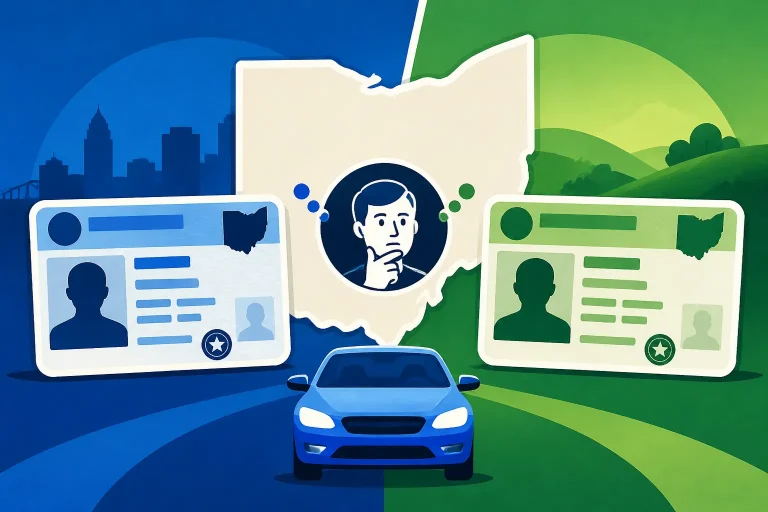
Ohio offers standard and compliant driver’s licenses. A compliant card is designed to meet federal identification standards for certain uses, while a standard card may be sufficient for ordinary driving. The choice affects what documents you need and whether your existing BMV record supports the card you want.
An online renewal may not resolve missing identity documents or a record that has not been verified for a compliant card. Before choosing, check the current requirements and whether your documents are already on file. For a detailed comparison, see Ohio Compliant vs Standard Card: Which License Do You Need? and Documents Needed for an Ohio Compliant REAL ID Card.
Do not select a card type based only on convenience. If you need the compliant credential and the portal cannot issue it based on your record, an in-person visit may be necessary.
What to prepare before starting
Getting your information ready can make the online transaction smoother and help you notice a problem before you begin. The exact fields and payment methods are set by the Ohio BMV’s service, so follow its current instructions. Avoid guessing at an answer if the information does not match your records.
Before opening the renewal service, gather:
- Your current Ohio driver’s license, if you have it.
- Your date of birth and the identifying information the portal requests.
- Your Social Security number or other requested verification details, if applicable.
- A current mailing address where you can receive the card.
- A payment method accepted by the official service.
- Any information about a pending name, address, or credential-type change.
You may be asked to confirm information that is already associated with your BMV record. Enter it exactly as requested. If your legal name, birth date, or address does not match the record, pause and find out how to correct it rather than submitting inaccurate information.
Decide whether you need a standard or compliant license
The two card types have different documentation implications. A standard license may suit a driver who needs a credential for driving and does not need the additional federal identification use of a compliant card. A compliant card can be useful for people who need a credential that meets federal identification requirements, but the driver must satisfy the document rules.
Think about what you need the card to do before starting the renewal. If you are unsure, compare the two options and confirm the current document rules with the Ohio BMV. Do not assume that choosing the compliant option online means no identity documents will be needed, or that selecting a standard card can be reversed later without a separate transaction.
If you are already eligible for online renewal but also want to upgrade your card type, check the portal’s instructions carefully. It may tell you that you can proceed, or it may direct you to an agency because your existing record does not support the card you selected.
Check your expiration date and driving status
Look at the expiration date on your license before deciding when to act. Do not wait until the last day to find out that your record requires an in-person visit. Starting early within the permitted renewal period gives you time to address a rejected transaction, gather documents, or find an agency appointment or queue option.
An expired card can create an immediate practical problem even if you are eligible to renew it. An online application does not automatically extend the license’s validity. If your credential is expired, avoid driving unless you have separate legal authorization to do so. For the distinction between an expired license and the ability to renew it, see Driving After Expiration: Ohio BMV Grace Period Rules Explained.
Also check whether your driving privileges are active. A license card can be close to its expiration date while the underlying driving privilege has a separate issue. If you suspect a suspension or other restriction, confirm your status before treating renewal as a routine transaction.
Keep your contact and payment information current
The online service may send a confirmation or other transaction information electronically. Use an email address you can access and check that your mailing address is current and complete. A small error in an apartment number, street name, or ZIP code can affect delivery.
Fees and payment options can change. The official renewal service will show the amount due and the accepted ways to pay before you complete the transaction. Check the displayed total, including any service-related charges shown by the official provider, before submitting payment. Do not rely on an old fee figure from an unrelated page or a previous renewal.
How to renew online
If the Ohio BMV’s service confirms that you qualify, the process is generally straightforward. Read each screen before moving to the next step. The portal may change its questions or options, so follow the instructions it displays rather than expecting every renewal to look identical.
- Open the official Ohio BMV driver-license renewal service. Make sure you are in the license-renewal area, not a vehicle registration service.
- Enter the requested identity and license details. Use the information that matches your BMV record. If the portal cannot verify you, do not keep trying random variations.
- Review the eligibility result. The system may confirm that you can renew or direct you to another service. If it says you must visit an agency, follow that instruction.
- Confirm your information. Check your name, address, date of birth, and other details shown on the screen. Correct errors through the appropriate process rather than submitting information you know is wrong.
- Choose the available credential option. If the service offers a choice between credential types or renewal terms, review what each option means before selecting.
- Review the transaction total and payment instructions. Confirm the amount and payment details shown by the official service. Complete payment only after checking the information.
- Save the confirmation. Keep the confirmation or receipt and note any instructions about temporary documentation, mailing, or follow-up.
- Watch for the new card. Check your mail and contact the Ohio BMV through its official channels if the card does not arrive within the timeframe provided.
A portal that accepts your application is not a reason to discard your old card or ignore follow-up instructions. Keep any interim document the BMV provides until the new credential arrives, and make sure you understand what it authorizes. Interim paperwork may not serve as standalone identification for every purpose. See Ohio Interim Paperwork Rules: Not Valid as a Standalone ID for more on that distinction.
Review carefully before submitting
Before you pay, make sure the transaction is actually a renewal and that the credential details are correct. Pay particular attention to the mailing address and the type of license selected. If you are choosing a compliant credential, confirm that you have followed the applicable document requirements.
If you see an error, stop and determine whether the problem is a typo, an outdated record, or an eligibility issue. A typo may be fixable in the transaction. A mismatch in identity details may require a separate correction or an in-person review. Submitting multiple transactions without knowing the cause can complicate the process.
Save any confirmation number or receipt. If you need to contact the Ohio BMV about a delayed card or an incorrect transaction, having the confirmation details can make it easier to explain what happened.
If online renewal is unavailable
An online rejection is useful information: it usually means that the transaction needs a different route, not that there is no way to renew. The next step depends on the reason the service gave you. Avoid making a second attempt until you understand whether the issue is timing, identity verification, license status, or credential type.
| What the portal or your situation indicates | Practical next step |
|---|---|
| You are outside the online age range | Check the Ohio BMV’s current in-person renewal process and required documents. |
| Your license is too early or too late for online renewal | Confirm the permitted renewal period and whether an agency visit is required. |
| Your record shows a suspension or block | Resolve the underlying issue through the appropriate process before treating the transaction as a routine renewal. |
| Your name or identity details do not match | Ask what documents are needed to correct or verify your record. |
| You need a compliant card and your documents are not verified | Review the compliant-card requirements and determine whether an in-person visit is needed. |
| You have a CDL or another credential | Use the renewal process for that credential rather than the standard license service. |
| Your card is lost but has not expired | Check whether you need a duplicate or reprint instead of a renewal. |
| You are transferring an out-of-state license | Follow the Ohio transfer process rather than the renewal process. |
For an in-person transaction, first confirm which type of location handles the service. Driver-license services are generally handled at an Ohio deputy registrar agency, while driver exam stations handle testing. A visit to the wrong type of office can cost time, so check the Ohio BMV’s official service information before leaving.
Use the official office locator to find a nearby location and its current hours. Do not rely on an old listing or assume that all offices offer the same services. If the transaction requires testing or a specific document review, confirm that the location can handle that step.
If the Ohio BMV offers a remote queue or other digital line option for the service you need, read the instructions closely. Joining a queue is not always the same as booking a fixed appointment, and it may still require in-person check-in. For details, see Ohio BMV Remote Queue vs Walk-In: How the Virtual Line Works.
If you cannot renew online because your card is expired
An expired license needs prompt attention. The ability to renew an expired credential is separate from permission to drive, and there is no general assumption that an expired license remains valid while you arrange renewal. Do not drive on an expired license unless the Ohio BMV or another applicable authority confirms that you have valid authorization.
How long the license has been expired can affect what the BMV requires. A recently expired license may have a simpler renewal path than one that has been expired longer. If the online system declines the transaction, check the official instructions for renewal, testing, and any applicable temporary permit rather than relying on advice that does not account for your dates.
If you need testing or a document review
Some renewals or related transactions require an in-person screening, document check, or other review. Follow the direction given by the Ohio BMV. If you are asked to complete a vision screening, understand where it can be done and whether you need to bring corrective lenses or paperwork from an eye-care professional.
A vision concern does not automatically mean you cannot renew, but it can affect what the agency needs to review or what restrictions appear on your license. Read Is a Vision Test Required for In-Person Ohio License Renewal? and What to Expect During an Ohio BMV In-Person Vision Screening if vision screening is part of your next step.
If you need to correct an address or replace a card
A mailing problem can make a successful renewal feel incomplete. If your address has changed, confirm whether it must be updated before renewing or can be handled as part of the same service. Make sure your address is accurate and that your mail can be delivered there.
If a card is lost or damaged, check whether the right transaction is a reprint or duplicate. A replacement card does not necessarily renew an expiring license, and a renewal may not be the best solution for a license that is still valid but missing. The Ohio BMV’s instructions can help you choose the correct service. See How to Order an Ohio Driver’s License Reprint Online.
After you submit: fees, delivery, and driving
The online renewal is not complete until you follow the confirmation instructions and receive any required credential or interim documentation. Keep your receipt, check your email if the service sends a confirmation, and watch the mailing address you provided.
The card is generally mailed rather than handed to you at the end of an online transaction. Processing and delivery times can vary, so use the timeframe stated by the Ohio BMV for your transaction. If the card is delayed, check whether the agency provides a way to review the transaction or request help. Do not submit another renewal simply because the card has not arrived; first confirm that the original transaction was accepted and find out whether a duplicate request would cause a problem.
If the BMV issues interim documentation, read its limits. It may serve as temporary evidence of driving privileges under the conditions stated, but it may not be accepted as identification for all purposes. Carry or use it only as instructed. For more on the wait after a renewal, see How Long Does It Take for an Ohio Driver’s License to Arrive?.
Understand what the renewal payment covers
The official service will show the current renewal amount and payment instructions. The total can depend on the credential and term selected, and payment or service charges may be displayed as part of the transaction. Because figures and payment rules can change, use the amount shown by the Ohio BMV rather than an old fee schedule.
A successful payment does not always mean that every issue has been resolved. Check the confirmation for any remaining step, such as document submission or in-person review. If the service says that a transaction is pending, follow its directions and retain the confirmation.
Check that the new card details are right
When your card arrives, review the printed information, including your name, address, license class, restrictions, and expiration date. If you notice an error, contact the Ohio BMV promptly for instructions. Keep the card secure and destroy or dispose of an old credential only as directed.
If the new card does not arrive, confirm that the address on the transaction was correct and check the agency’s stated delivery guidance. A returned or undeliverable card may require follow-up. Do not assume that a replacement request is the right fix until you know whether the original card was issued, returned, or still in transit.
Do not confuse renewal with active driving privileges
An online renewal request does not itself remove a suspension, satisfy a reinstatement condition, or authorize driving before the license is valid. If your record has a separate restriction, resolve it through the proper process. Likewise, an expired license does not become valid merely because you started an application.
If you are unsure whether you may drive while waiting for a card, check the documentation issued by the Ohio BMV and ask the agency for clarification. The safest approach is to rely on an official confirmation of your current driving status, not on the fact that a renewal was submitted.
Frequently Asked Questions
Can every Ohio driver renew a license online?
No. The Ohio BMV applies age, credential, record, and timing requirements. The online service checks whether your record qualifies. If it directs you to an agency, follow that instruction.
Can I renew online if my Ohio license is expired?
Possibly, depending on how long it has been expired and what the online service allows for your record. Do not treat eligibility to renew as permission to drive. Check the BMV’s current instructions promptly.
Can I renew online when I turn 21?
The timing can differ for a license issued before age 21. Ohio has a limited early-renewal window for drivers approaching age 21, so check the applicable dates before using the online service. See Turning 21 in Ohio: Why You Cannot Renew More Than 30 Days Early.
Is online renewal the same as renewing vehicle tags?
No. A driver’s license renewal and a vehicle registration renewal are separate transactions. Use the Ohio BMV’s driver-license service for a license and the appropriate registration service for vehicle tags.
Disclaimer
This article is for general informational purposes only and does not constitute professional advice. Laws, prices and regulations vary by location and change over time. Consult a qualified professional for guidance on your specific situation. Ohio Driver Guide is not a government agency and is not affiliated with any state motor vehicle department.